enter a keyword in the search box

- よく見られているキーワード
-
- 関連するキーワードで絞り込む
-
want split the receipt
(1) Log in URL
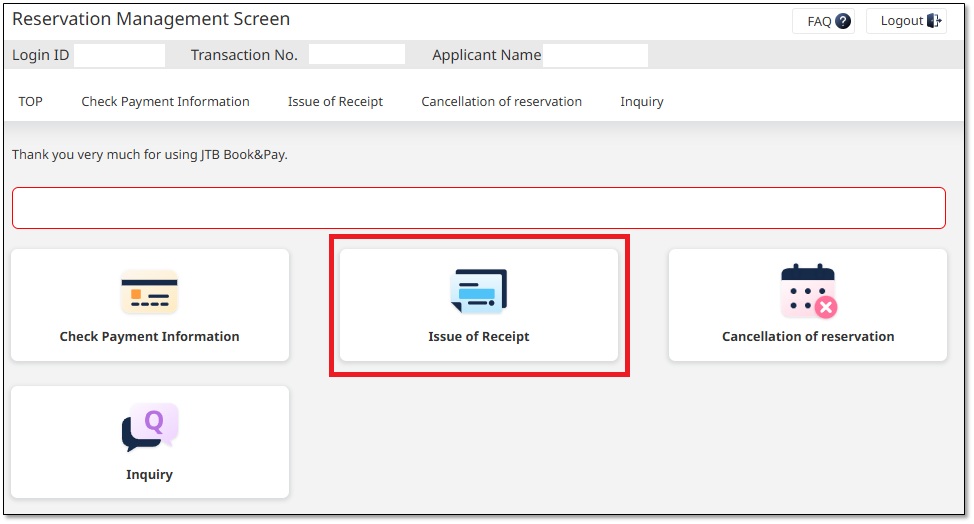
Log in to 「Reservation Management Screen」 and click "Issue of Receipt".
(2) split the receipt
① Click "+ Add a receipt" to add more input fields.
② Enter the "amount" to be issued, making sure it does not exceed the total payment amount.
Click the "Issue a receipt" button.
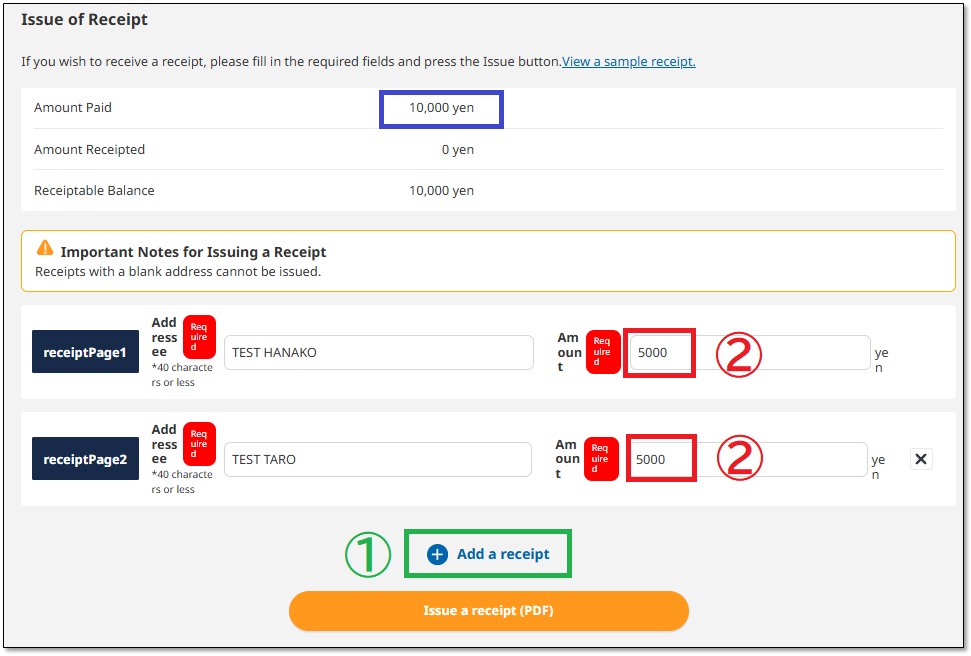
Receipts will be issued on a separate page within the PDF.
If you want to issue PDFs individually, do not click "+Add receipt",
but enter the amount for each receipt and issue them separately.
You can download the receipt in PDF format.
Was this helpful?
please let us know your thoughts.