enter a keyword in the search box

- よく見られているキーワード
-
- 関連するキーワードで絞り込む
-
How to issue a receipt
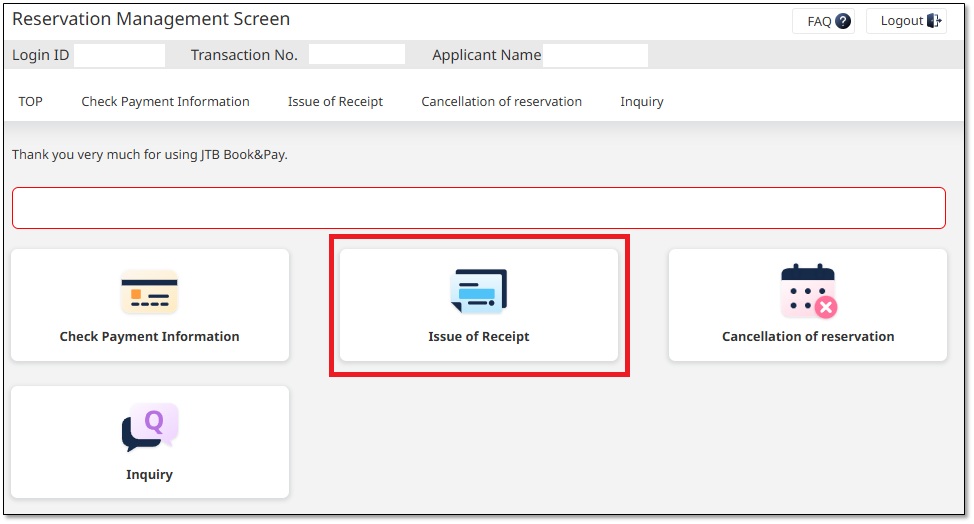
(1) Log in to 「Reservation Management Screen」 and click "Issue of Receipt".
(2) Enter the name you want to display at 「Addressee」,
check the 「Amount」 to be issued, and click the 「issuea receipt」 button.
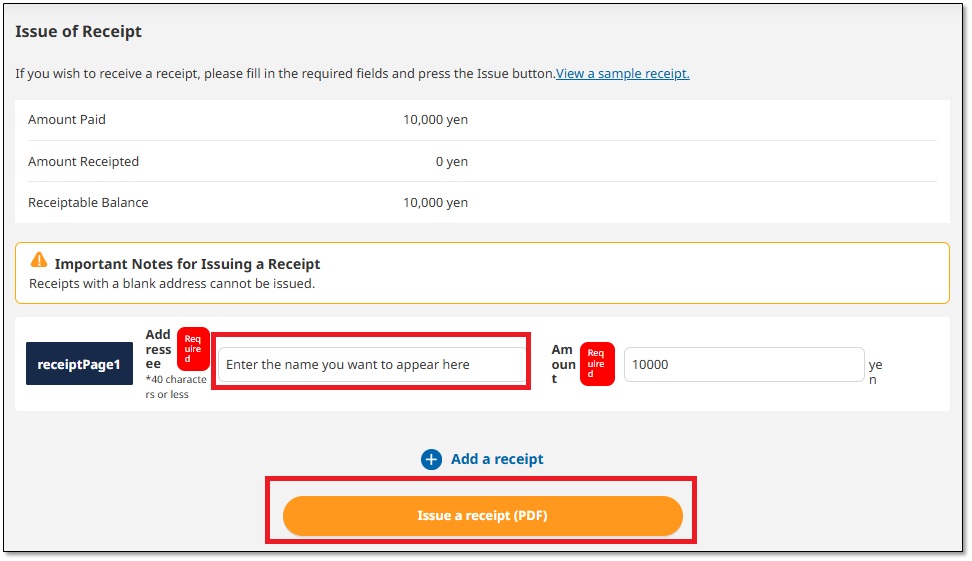
You can download the receipt in PDF format.
(Click here for a sample receipt.)
Was this helpful?
please let us know your thoughts.