enter a keyword in the search box

- よく見られているキーワード
-
- 関連するキーワードで絞り込む
-
would like to issue a cancellation fee receipt
(1) Log in URL
Log in to 「Reservation Management Screen」 and click "Issue of Receipt".
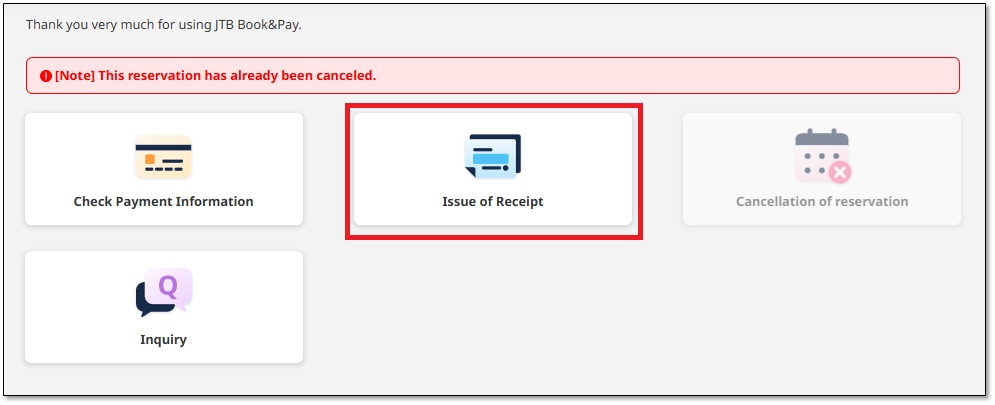
(2) issue a cancellation fee receipt
Enter the name you want to display at 「Addressee」,
check the 「Amount」 to be issued, and click the 「issuea receipt」 button.
(Click here for a sample receipt.)
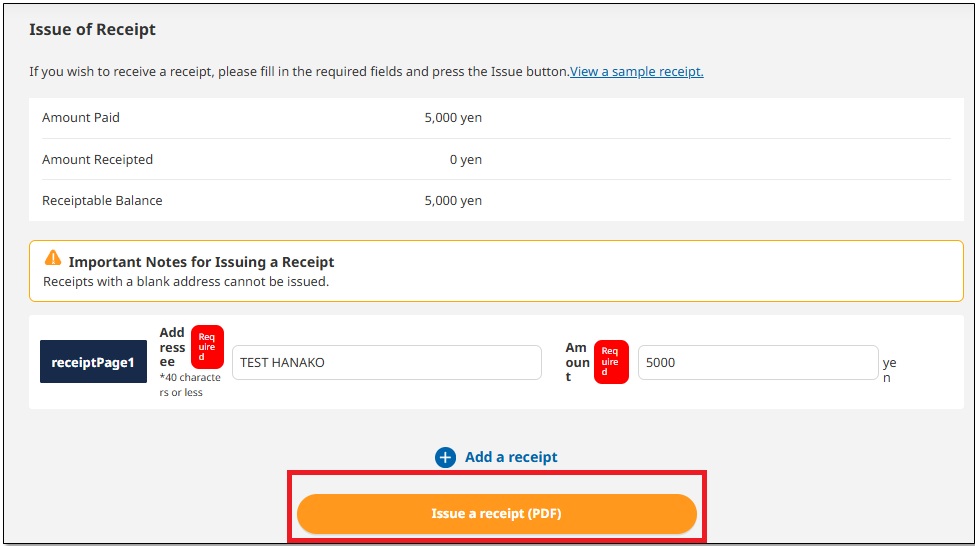
You can download the receipt in PDF format.
Was this helpful?
please let us know your thoughts.